No, Instagram does not notify users when you screenshot their story or post. The only exception is disappearing photos and videos sent in direct messages, those do trigger a screenshot notification.
Here's a full breakdown of how screenshot notifications work across every type of Instagram content in 2026.
Instagram Screenshot Notifications: Quick Summary
Regular posts: No notification
Stories: No notification
Reels: No notification
Regular DMs: No notification
Disappearing DMs (vanish mode): Yes, notification sent
Profile photos: No notification
Screenshot Notifications for Instagram Stories
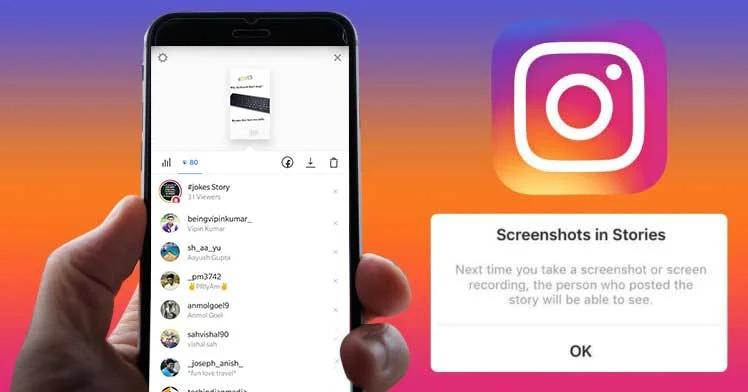
Instagram briefly tested story screenshot notifications back in 2018, but the feature was rolled back due to user feedback. As of 2026, you can freely screenshot anyone's story without them being notified.
One caveat: if you screenshot someone's story and then forward that screenshot via DM, the original poster won't get a screenshot notification, but the forwarding action is visible in some cases.
Privacy Tips for Stories
If you're concerned about who sees your stories, you have two options: make your account private so only approved followers can view them, or use Instagram's "Close Friends" feature to share stories with a select group instead of your entire follower list.
Screenshot Notifications for Regular Posts
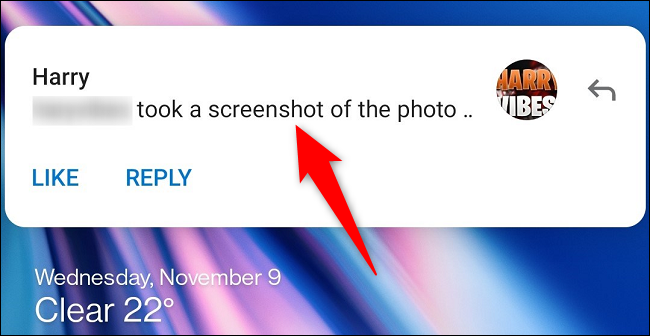
Instagram does not send any notification when someone screenshots a regular feed post, Reel, or IGTV video. The user will never know you took a screenshot.
If you want to save a post without screenshotting, you can use Instagram's built-in bookmark feature, tap the bookmark icon below any post to save it to your collections for later viewing.
Screenshot Notifications for Direct Messages
This is where it gets nuanced:
Regular DMs: No screenshot notification. You can screenshot any normal direct message conversation without the other person knowing.
Disappearing messages (vanish mode): Yes, Instagram will notify the sender if you screenshot a disappearing photo or video sent via DM. This is the only scenario where screenshot notifications are active.
Keep in mind that disappearing message notifications aren't foolproof, someone could photograph their screen with another device or use a screen recording tool that bypasses the notification system.
Does Instagram Track Screenshots?
While Instagram doesn't send notifications for most screenshots, the platform may still track screenshot activity as a data signal. This data could influence what content Instagram shows you in your feed and Explore page, if you frequently screenshot certain types of content, the algorithm may prioritize showing you more of it.
Tips for Taking Screenshots Privately
If you want to be extra cautious when screenshotting disappearing DMs:
Airplane mode method: Turn on Airplane Mode before opening the disappearing message, take your screenshot, then force-close Instagram before turning Airplane Mode back off. This can prevent the notification from being sent in some cases, though it's not guaranteed to work with every app update.
Save posts instead: For regular posts and Reels, use Instagram's bookmark feature instead of screenshots, it's built-in, organized, and doesn't raise any privacy concerns.
FAQs
Does Instagram notify when you screenshot a story?
No. Instagram removed story screenshot notifications in 2018 and has not brought them back.
Does Instagram notify screenshots of regular posts?
No. There is no notification for screenshotting feed posts, Reels, or IGTV.
Can you screenshot Instagram stories without being detected?
Yes. There is no detection or notification for story screenshots.
Will Instagram ever add screenshot notifications for stories?
Instagram has not announced any plans to reintroduce story screenshot notifications. The feature was tested and removed in 2018 due to negative user feedback.
How do I know if someone screenshotted my Instagram story?
You can't. Instagram does not provide any way to see who has screenshotted your stories or posts.
The Bottom Line
Instagram only notifies users about screenshots of disappearing DM content. For everything else, stories, posts, Reels, regular DMs, you can screenshot freely without anyone knowing. Just be mindful that the platform may use screenshot data to inform its algorithm and your content recommendations.




Head of Content at Feedbird, where she helps thousands of small businesses turn social media into a steady source of customers. Ten years in content and SEO, still obsessed with what actually makes people click.