


Your Facebook cover photo is the first thing visitors see on your page — it sets the tone for your brand in a single glance. Here are 14 ideas and real examples to help you create a cover photo that makes an impact.
Quick Reference: Facebook Cover Photo Specs
Recommended size: 820 x 312 pixels (desktop) · Mobile display: 640 x 360 pixels (center-cropped) · File types: JPG, PNG · Tip: Keep important elements centered so they display correctly on both desktop and mobile.
14 Facebook Cover Photo Ideas
1. Showcase Your Products or Services

Use high-quality images that highlight your best offerings. A single hero product shot or a curated collage both work well. Fashion brands can feature their latest collection; food brands can showcase their signature dishes. Make sure images are visually appealing and represent your brand's style.
2. Highlight Customer Testimonials
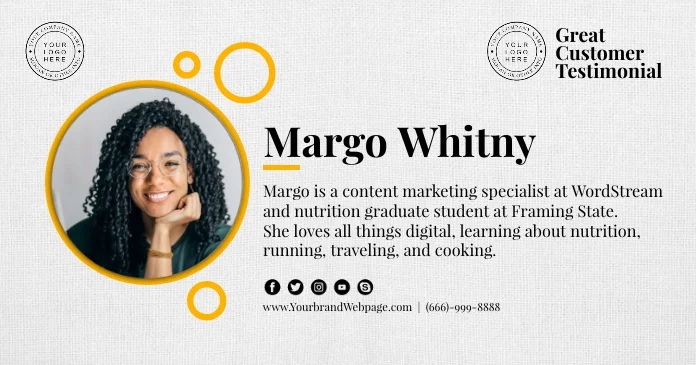
Feature a powerful customer quote or a photo of a satisfied customer using your product. Social proof builds trust immediately — a fitness brand might show a transformation photo, while a beauty brand could feature a glowing customer review.
3. Feature Behind-the-Scenes Content

Give visitors an inside look at your brand — your team brainstorming, your workspace, or your creative process. This humanizes your brand and builds connection before someone even reads a single post.
4. Promote Upcoming Events or Offers
.webp)
Turn your cover photo into a billboard for your next launch, sale, or event. Include the key details and a clear call-to-action. Update it regularly to keep your page feeling current.
5. Use Video Covers
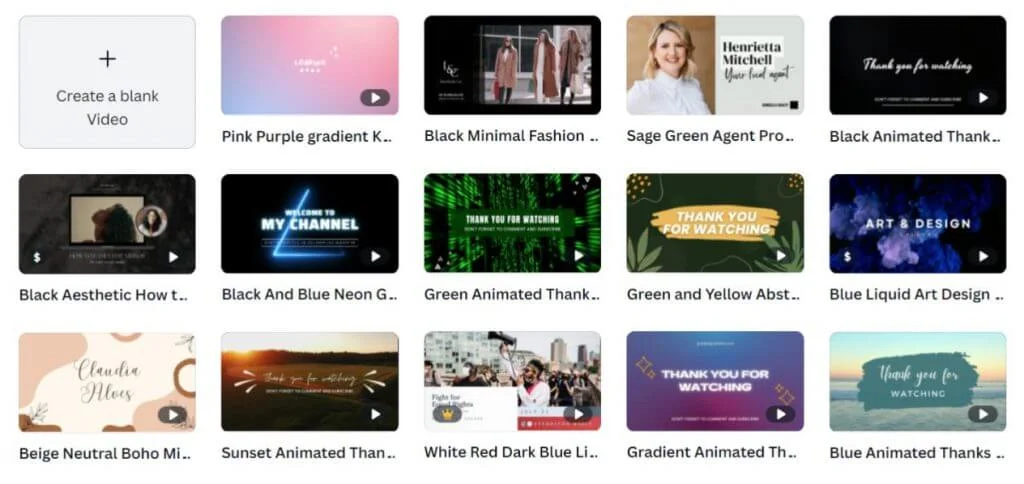
Video covers grab attention instantly. Use short clips or animations that showcase your products, tell your brand story, or highlight customer experiences. Travel brands can loop destination footage; tech brands can demo products in action.
6. Inspirational Quotes and Messages

A well-chosen quote can convey your brand values in seconds. A fitness brand might use "Stronger Every Day" while a nonprofit could feature "Together We Can Make a Difference." Keep the typography bold and the background clean.
7. Seasonal or Holiday-Themed Covers

Seasonal covers show that your page is active and current. A food brand might use Thanksgiving imagery to promote holiday recipes; a fashion brand could feature their winter collection against a snowy backdrop. Rotate these every few weeks for freshness.
8. Collaborations with Influencers or Partners

Feature your collaborations prominently to leverage your partners' credibility. A beauty brand could show an influencer using their products; a tech brand might highlight a partnership with a well-known company.
9. User-Generated Content
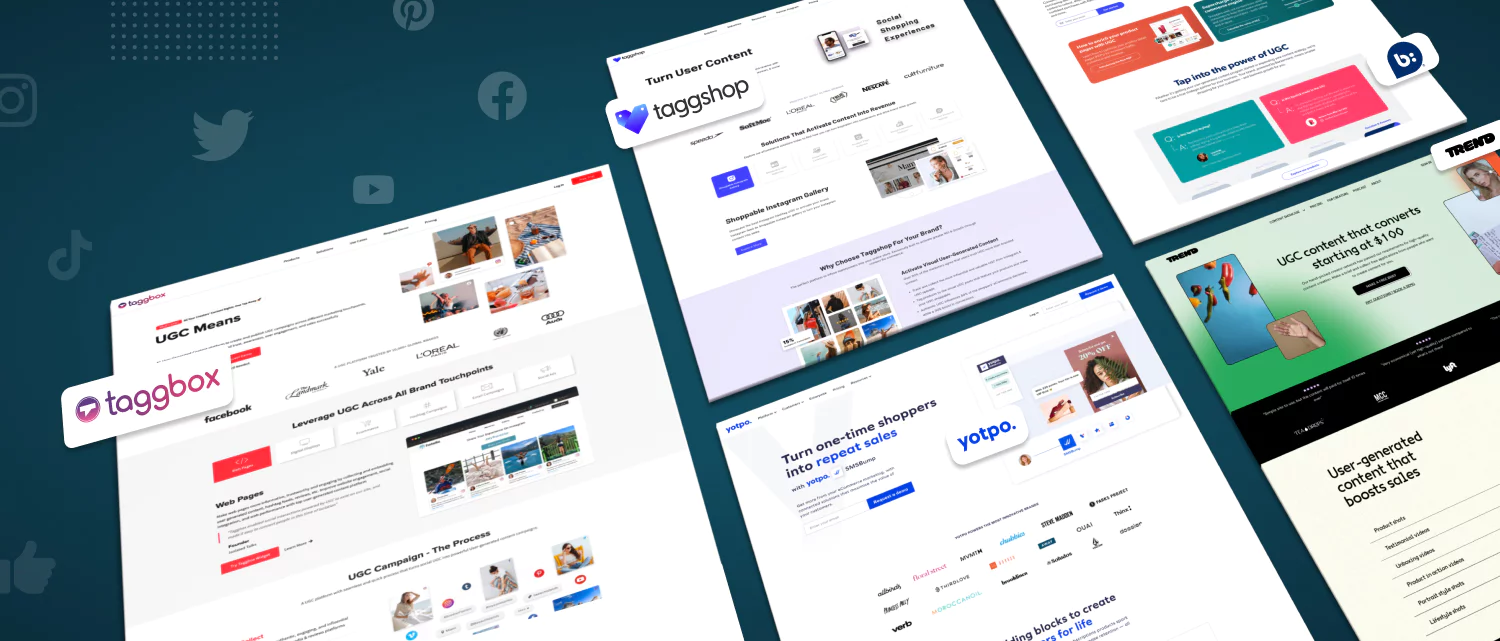
Feature photos from your actual customers to build authenticity and community. A travel brand might showcase customer trip photos; a pet brand could feature customers' pets with their products. This also encourages more followers to share their own content.
10. Interactive and Puzzle Covers

Gamify your cover photo with puzzles, hidden elements, or interactive challenges. This works well for gaming brands, entertainment companies, or any brand looking to boost engagement and time-on-page.
11. Team and Culture Photos
Show the real people behind your brand with a team photo or company culture shot. This is especially effective for service businesses, agencies, and B2B companies where trust and personal connection drive purchasing decisions.
12. Minimalist Brand Logo
Sometimes less is more. A clean cover photo featuring just your logo on a solid or gradient background creates a polished, professional look. This works well for established brands where the logo alone carries recognition.
13. Before-and-After Transformations
If your product or service creates visible results, a before-and-after cover photo is one of the most compelling options. This works for fitness brands, home renovation companies, beauty services, and cleaning businesses.
14. Illustration or Custom Artwork
Custom illustrations set your page apart from the sea of stock photography. They're especially effective for creative agencies, tech startups, and brands targeting younger audiences who appreciate unique visual identities.
Design Tips for Better Cover Photos
Use high-quality images — Grainy or pixelated photos reflect poorly on your brand. Consider hiring a photographer or using a tool like Canva for professional-looking designs.
Keep it uncluttered — One strong image beats a busy collage. Use negative space to draw attention to your key message or logo.
Design for mobile first — With most Facebook users on mobile, your cover photo will be center-cropped. Place important elements in the middle to ensure they display correctly on all devices.
Update regularly — Swap your cover photo every few weeks or months to keep your page looking fresh. Align updates with seasons, launches, or campaigns.
A/B test different designs — Try different cover photos and track which ones drive more page engagement using Facebook's built-in analytics.
FAQs
What are the ideal dimensions for a Facebook cover photo?
820 pixels wide by 312 pixels tall on desktop. On mobile, it displays at 640 x 360 pixels. Design with both in mind by keeping critical elements centered.
Can I use a video as my Facebook cover?
Yes. Facebook supports cover videos between 20–90 seconds long, with a recommended resolution of 820 x 462 pixels.
How often should I update my Facebook cover photo?
Every few weeks to a few months, depending on your content calendar. Update it whenever you have a new campaign, seasonal promotion, or major announcement.
Can I use my own photos as a cover photo?
Absolutely — original photos often perform better than stock imagery because they're authentic to your brand.
Make Your Cover Photo Work Harder
Your Facebook cover photo is prime real estate — it's the first thing every visitor sees. Use these 14 ideas to create a cover that communicates your brand identity, engages visitors, and stays fresh throughout the year.
Need help creating consistent, professional social media content? Feedbird manages social media for 12,000+ businesses starting at $99/mo.


